Simplify SuiteCRM Access with Redian Software’s Google Login Plugin
Tired of juggling multiple passwords across platforms? Redian Software presents a seamless solution with the Google Login Plugin, providing a hassle-free login process for SuiteCRM using your existing Google account.

The Google Login Plugin offers SuiteCRM users the ability to bypass cumbersome password management. By allowing logins through your Google mail account, you can streamline your SuiteCRM access efficiently.
How to Set Up the Google Login Plugin
Start by downloading and installing the plugin. Once installed, input your purchase license key for validation. This step will unlock a pivotal feature in your admin panel, a link labeled ‘Google Login’.
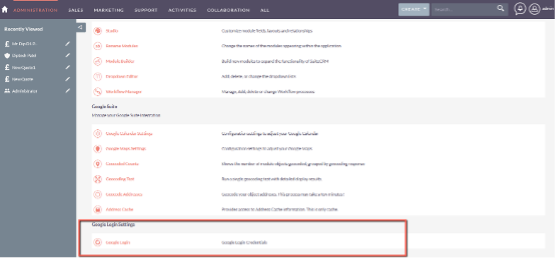
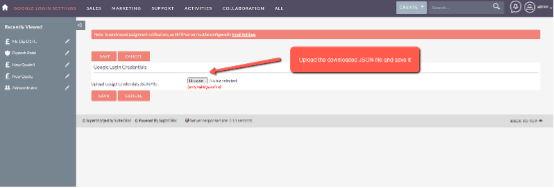
Upon opening the ‘Google Login’ link, you will be redirected to a page where you need to integrate your Google Credentials via a JSON file. Rest assured, these steps are secure, and each function has been carefully designed for streamlined integration.
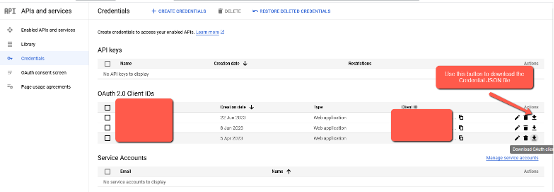
Activating Google Login
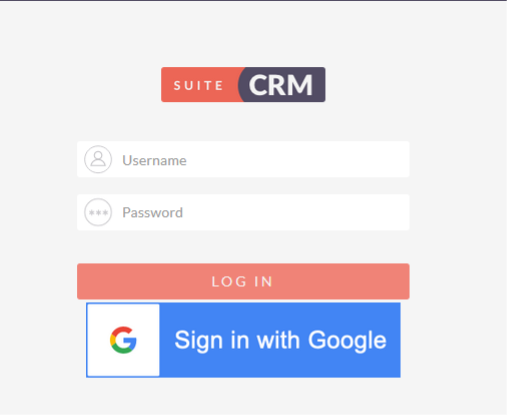
After saving the necessary credentials, simply log out of your current system session. You’ll notice the freshly added Google login button, which will allow you to access SuiteCRM with just a click.
Explore Seamless App Integration with Glances
For those seeking an integrated workplace experience, consider Glances, a tool that amalgamates SuiteCRM with your preferred work apps for real-time updates and task management.
Getting Support and Demos
If you’ve purchased the plugin and need support, create a support case on the platform. Meanwhile, if you’re interested in a demo, send a request and await prompt email communication for details.
Transform your SuiteCRM login process with the innovative Google Login Plugin by Redian Software and enjoy a more efficient, password-free environment.