In today’s fast-paced business environment, keeping up with changes in your CRM system is pivotal. The Alert Messages add-on for SuiteCRM is an essential tool that helps users stay informed of critical updates, ensuring that no change goes unnoticed.
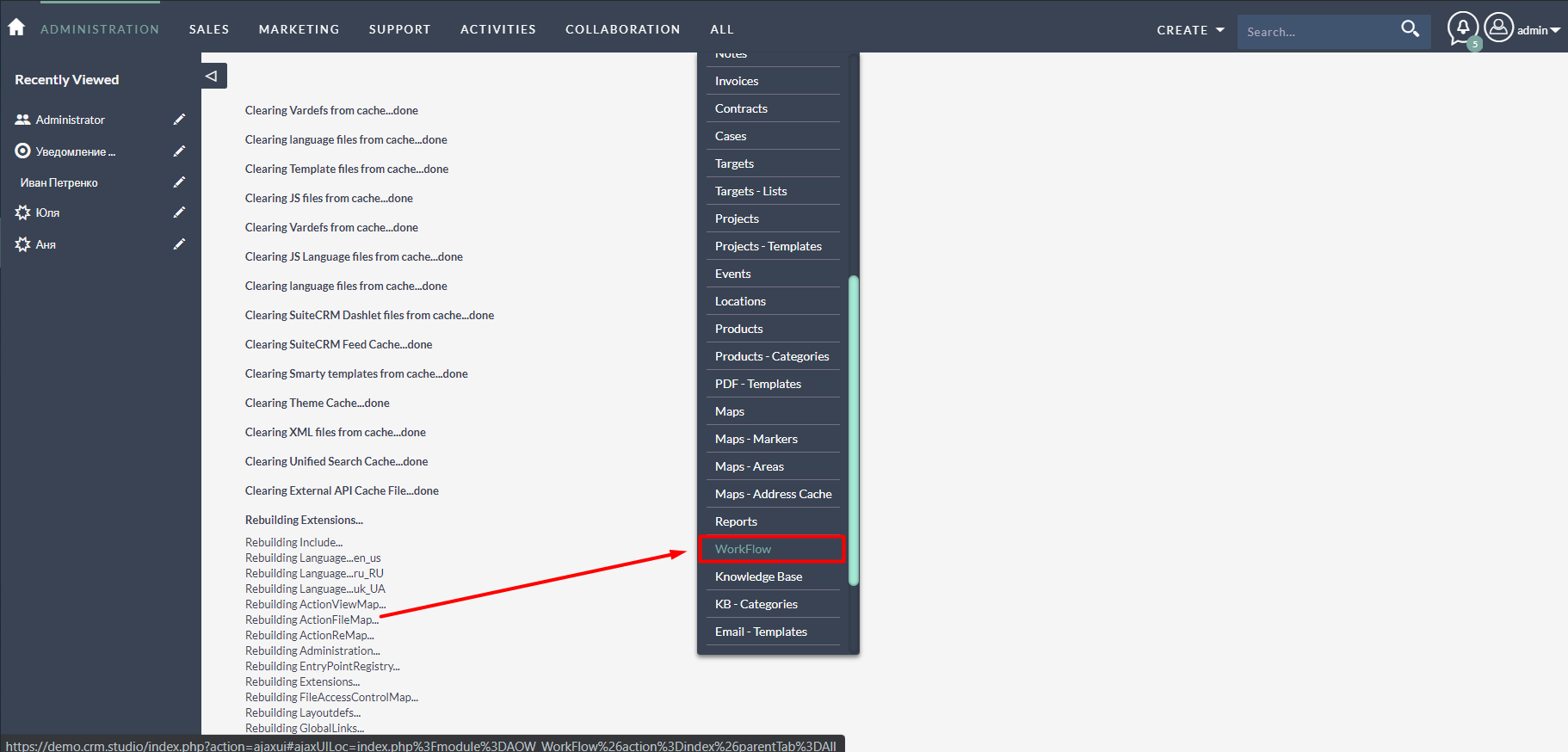
Why Choose Alert Messages for SuiteCRM?
With this powerful add-on, SuiteCRM users receive notifications via an Alert button whenever there are changes in a selected module. This feature is customizable, allowing you to define specific parameters to monitor. As a result, you can tailor notifications to match your unique business needs, ensuring pertinent information always reaches the right personnel.
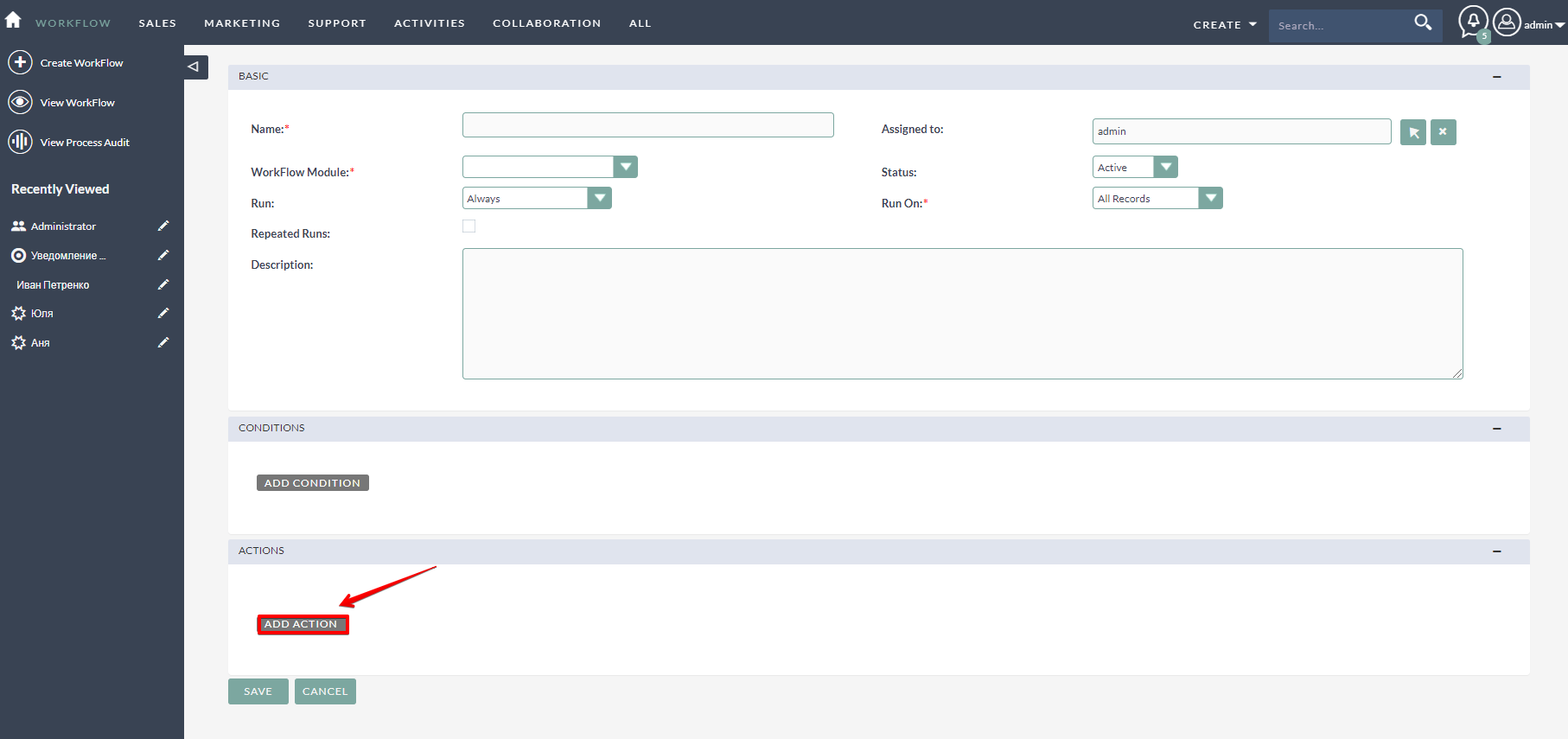
Effortless Installation and Setup
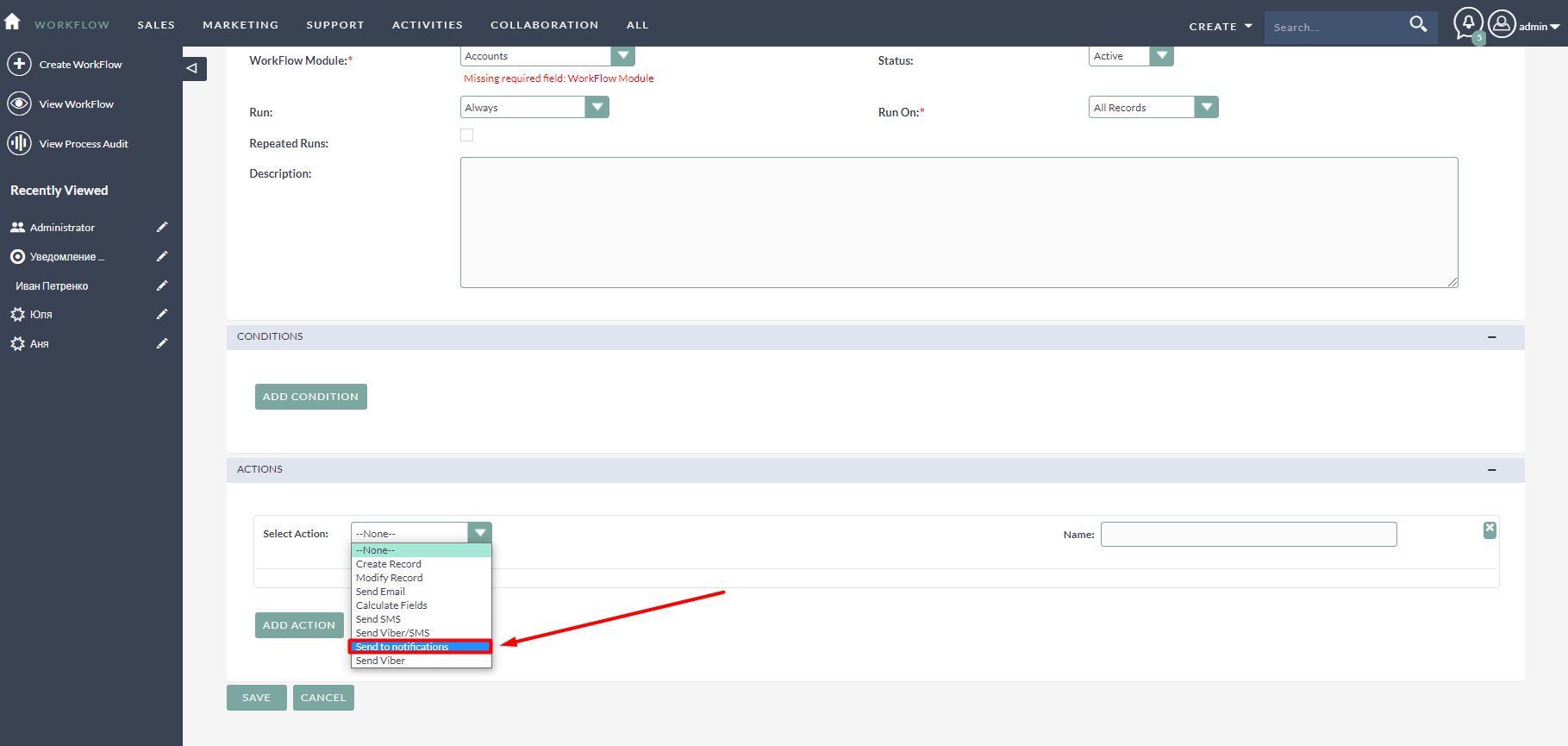
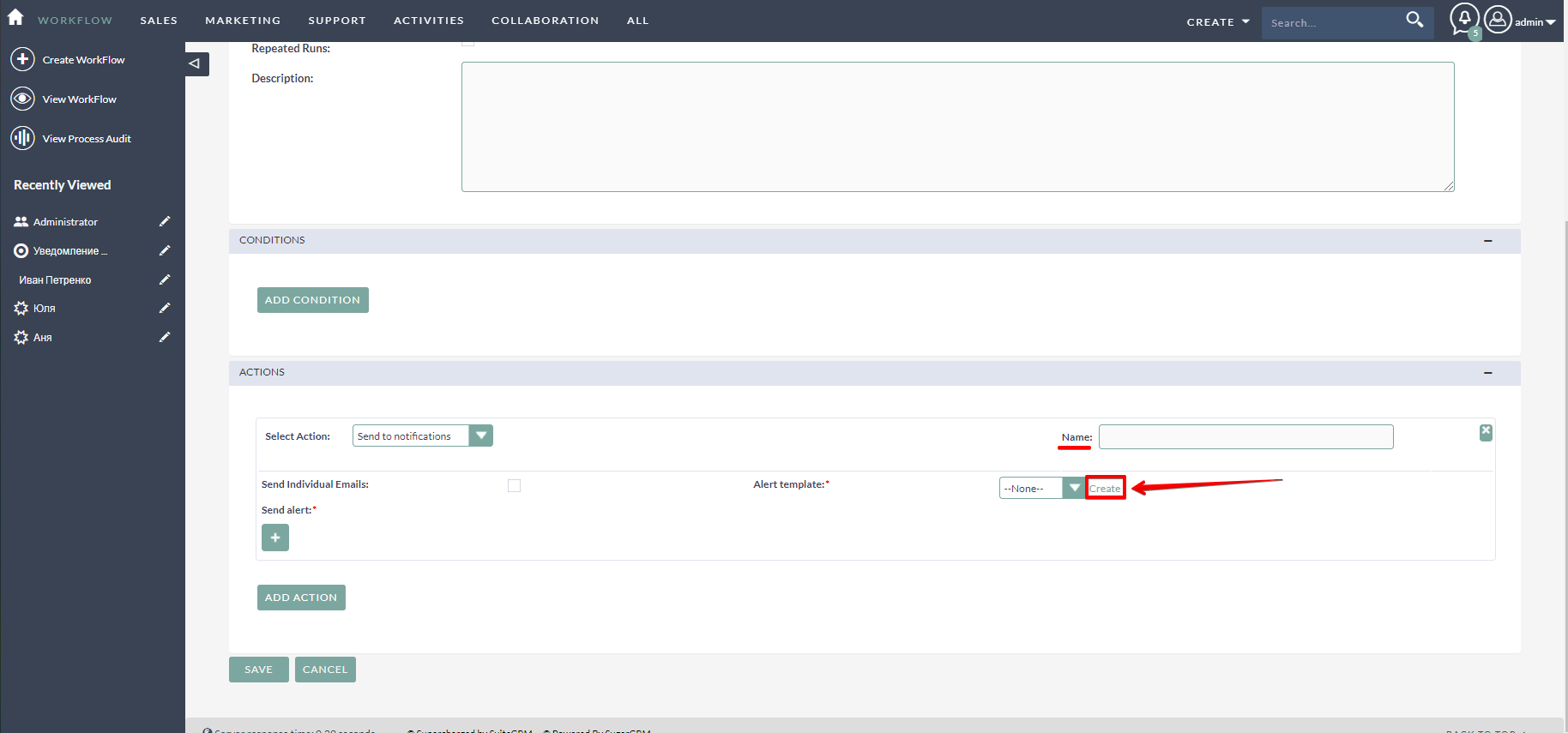
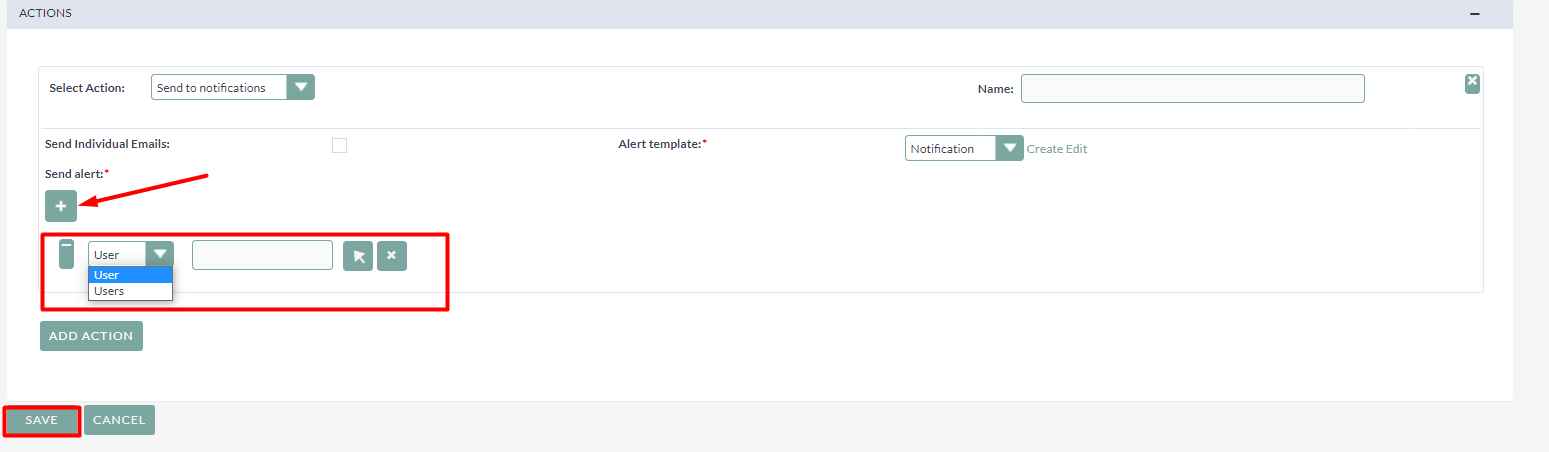
Installing the Alert Messages add-on is straightforward and seamless. Once integrated into your SuiteCRM environment, you gain an additional action within the Workflow module. This functionality empowers you to establish distinct processes for dispatching alert notifications, thus enhancing your system’s overall efficiency.
Furthermore, integrating SuiteCRM with your workspace apps becomes even simpler through solutions like Glances, which centralizes real-time customer insights and personal tasks.
Get Started with a Demo
Interested in seeing how the Alert Messages add-on can transform your SuiteCRM experience? Request a demo to explore the solution and discover how it can solve specific challenges you face in CRM management. This dynamic tool not only keeps teams informed but also enhances collaboration efficiency across departments.
Whether you have a support question or need assistance in optimizing your setup, creating a support case provides a direct line to the solution experts. Stay ahead in customer relationship management with SuiteCRM’s Alert Messages add-on, and ensure you never miss an important update.
Ready to elevate your CRM game? Discover more by reviewing our comprehensive User Guide and step into a world of streamlined alerts and notifications.